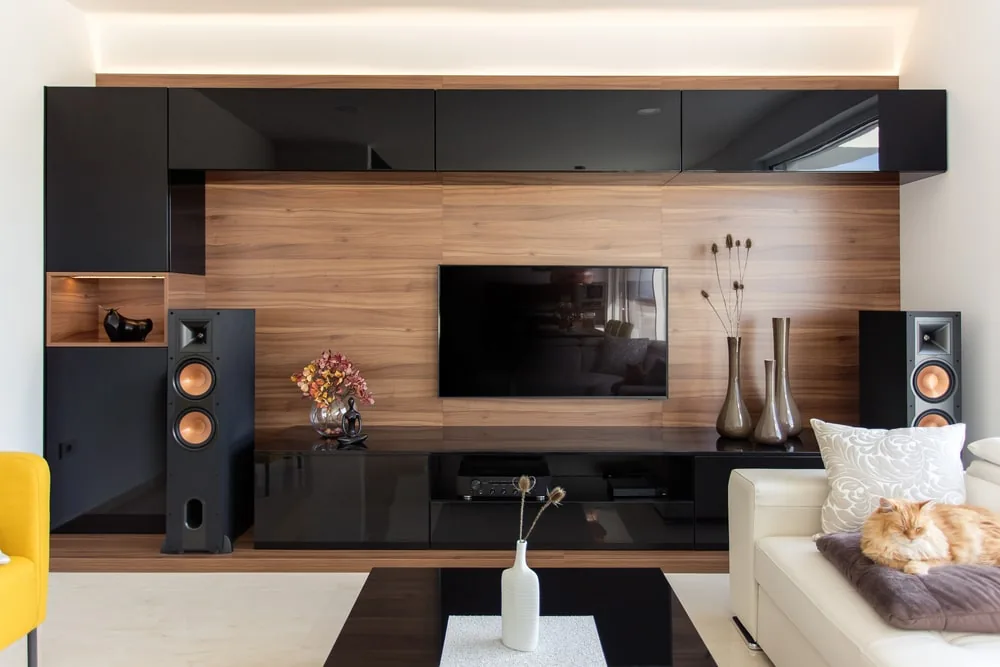
Modern televisions impress with crystal-clear picture quality, but when it comes to sound, many models quickly reach their limits. Flat sound, inaudible dialogue and weak bass significantly detract from the viewing experience. The reasons for this lie in the increasingly slim designs of modern TVs, which leave no room for powerful built-in speakers. External TV speakers offer an effective solution to these problems - from compact soundbars and wireless Bluetooth models to full-fledged surround sound systems. This comprehensive guide explains the different types of speakers, outlines installation and setup options, and provides valuable tips on optimising sound quality in any room.
Key Takeaways
- Built-in TV speakers have limited sound quality due to their slim design, with weak bass and unintelligible dialogue
- External solutions such as soundbars, compact or Bluetooth speakers offer significantly better sound and more flexible placement
- Room acoustics and correct speaker positioning are crucial for optimal sound quality
- Various connection options (HDMI ARC, optical, Bluetooth) allow for easy installation depending on your TV setup
- Special features such as dialogue modes or voice enhancers are particularly helpful for people with hearing difficulties
- Regular maintenance and firmware updates ensure the speaker systems continue to perform at their best
Features of TV speakers
The sound quality of built-in TV speakers is often insufficient to provide a full and clear listening experience. Due to their slim design, modern televisions are unable to incorporate powerful speakers, resulting in a flat and unbalanced sound. Bass in particular is often lacking, and dialogue can be difficult to understand. Furthermore, many TV speakers are directed backwards or downwards, meaning the sound is not directed directly at the viewer and sound reproduction is further restricted.
Another important factor is room acoustics. Rooms with hard surfaces such as tiles or glass can distort the sound, whilst soft materials such as carpets can absorb sound and impair the intelligibility of dialogue. However, sound quality can be improved through simple adjustments, such as positioning the speakers or using carpets and curtains.
The digital compression of audio signals, particularly with streaming services, can also affect sound quality, which is especially noticeable in dialogue. These technical limitations result in the loss of subtle nuances in speech, which detracts from the listening experience. External speakers and soundbars that support uncompressed audio formats offer a solution to avoid these quality losses and improve sound fidelity.
Another common problem with TV speakers is the lack of intelligibility in dialogue. Particularly in modern productions where sound effects and music dominate, it can be difficult to make out what is being said. External speakers or soundbars specifically designed to improve speech intelligibility can help by highlighting voices clearly and distinctly.
In addition to technical issues, uneven volume levels present another common problem. Fluctuations in volume between dialogue, music and adverts can disrupt the viewing experience. Modern speaker systems that compensate for these fluctuations offer a more consistent and pleasant sound reproduction. The listening experience is significantly enhanced, particularly when using external speakers such as soundbars or TV speakers with voice enhancement modes.
For people with hearing difficulties, such as older adults, specially tuned speakers that improve speech intelligibility and balance out volume fluctuations offer a significant improvement. These systems ensure that dialogue can be heard clearly and distinctly, even when the music or sound effects are louder.
In summary, external speakers offer a significant improvement in sound quality compared to built-in TV speakers. They deliver clearer dialogue, powerful bass and a wider soundstage. They represent a worthwhile investment, particularly for people with hearing difficulties or those who want a better listening experience. Speakers with special features such as a dialogue mode or enhanced bass reproduction offer solutions to many of the most common problems associated with built-in TV speakers.
More detailed information on the features of TV speakers can be found here.
Types of TV speakers
Choosing the right TV speaker system is crucial for enhancing your TV viewing experience. The various types of speakers each offer specific advantages and are suitable for different requirements and room sizes. From simple, built-in TV speakers to complex surround sound systems, there are numerous options that can significantly improve the sound. The different types of TV speakers are described in detail below.
Built-in TV speakers
Built-in TV speakers are the standard solution for most modern televisions. They are built directly into the set and offer a space-saving way to reproduce TV sound without the need for additional speakers. These speakers are easy to use and ready to go straight away. However, they generally do not offer satisfactory sound quality, particularly in terms of dialogue clarity and lower frequencies. The limited size and positioning of the speakers, often facing backwards or downwards, mean that the sound is frequently flat and unbalanced. Action films and music in particular lack dynamism, and speech intelligibility is often inadequate. For users watching TV in smaller rooms or for simple programmes such as the news, built-in speakers may be sufficient. With more complex audio content, however, they quickly reach their limits.
External TV speakers
External TV speakers offer significantly better sound quality than a television’s built-in speakers. They can deliver clear and precise reproduction of dialogue, low frequencies and bass, which greatly improves the sound. The most common external speaker systems include soundbars, compact speakers, standard speakers, subwoofers and surround sound systems. These systems allow for more flexible placement within the room and can be adapted to the individual needs of users.
Soundbars
Soundbars are particularly popular as they offer a compact, space-saving solution to significantly improve a television’s sound. They consist of a slim enclosure that integrates multiple speakers to disperse the sound and create a better surround sound experience. Soundbars offer a significantly better sound quality than a television’s built-in speakers. They use technologies such as Dolby Atmos or Virtual Surround Sound to simulate sound coming from different directions, creating a spatial, immersive listening experience. The benefits of soundbars are particularly evident with action films, series or music, as they can reproduce deeper bass and clearer treble. Many soundbars feature special dialogue modes that emphasise mid-range frequencies to ensure dialogue remains clear even against loud background noise. Soundbars are also easy to install and offer flexible connectivity options such as HDMI, Bluetooth and Wi-Fi.
Compact speakers
Compact speakers are another way to improve sound quality without taking up much space. These small speakers deliver clearer, fuller sound compared to a TV’s built-in speakers. They offer better bass reproduction and clearer differentiation of frequencies, which is particularly beneficial for films and music. Compact speakers often emphasise the mid-range frequencies, which ensures better intelligibility of dialogue. Although they do not offer a true surround sound experience, they create a wider soundstage and simulate the impression that the sound is coming from multiple directions. Many compact speakers also offer the option of adding a subwoofer to boost bass reproduction and enhance the dynamics of the sound.
Standard speakers
Standard speakers are a simpler alternative to more complex surround sound systems and offer balanced sound reproduction that effectively fills the room with sound. They generally provide clearer and fuller sound reproduction than built-in TV speakers and cover a wide frequency range, including deep bass and high notes. Whilst they do not provide a full surround sound experience, they create a wider soundstage and improve the dynamics of the TV audio. Many standard speakers are equipped with technologies that emphasise mid-range frequencies to improve speech intelligibility. They are particularly suitable for users who want a balanced soundstage and improved dialogue reproduction without having to invest in a more expensive surround sound system.
Subwoofer
A subwoofer is a specialised speaker that focuses on reproducing the lowest frequencies and significantly enhances bass reproduction in an audio setup. When combined with other speakers, a subwoofer delivers precise and powerful bass reproduction, which is particularly important for action scenes and music. Subwoofers can be either passive or active. Passive subwoofers require an external amplifier, whilst active subwoofers have a built-in amplifier and are therefore easier to use. Particularly in larger rooms, the subwoofer delivers a full, deep sound that enriches the TV audio. When purchasing a subwoofer, the size of the room should be taken into account, as larger rooms require more powerful subwoofers.
Surround sound systems
Surround sound systems offer the most immersive sound experience and are designed to simulate sound coming from multiple directions to create a spatial, three-dimensional listening experience. These systems typically consist of several speakers, including front, centre and surround speakers, as well as a subwoofer. The strategic placement of the speakers in the room creates a soundstage that gives the impression that the sound is coming from different directions. Technologies such as Dolby Atmos and DTS:X help to optimise the sound experience by making the surround sound even more realistic. These systems are ideal for home cinemas, as they intensify the sound of a film or series and offer a realistic experience. Installing a surround sound system requires careful planning, as the speakers must be positioned correctly within the room.
Bluetooth and wireless speakers
Bluetooth and wireless speakers offer a flexible, cordless solution for enhancing TV sound. They allow TV audio to be transmitted without a tangle of cables and offer greater freedom of movement when placing the speakers. Bluetooth speakers connect directly to the TV or other devices and provide a simple, hassle-free solution for shorter distances. For larger rooms or multi-room setups, Wi-Fi-based speakers or those with a base station are more suitable, as they offer a greater range and more stable connections. Models such as the OSKAR TV speaker not only offer a wireless connection but also a special feature to improve speech intelligibility, which is particularly beneficial for people with hearing difficulties. Wireless speakers also offer the option of connecting various devices to one another and are ideal for mobile applications or flexible use throughout the home.
Built-in TV speakers
Built-in TV speakers are the standard solution for most modern televisions.
External TV speakers
External TV speakers offer significantly better sound quality than a television’s built-in speakers.
Soundbars
Soundbars are particularly popular as they offer a compact, space-saving solution to significantly improve a TV’s sound.
Compact speakers
Compact speakers are another way to improve sound quality without taking up much space.
Installation of TV speakers
The installation of TV speakers is crucial for getting the best sound experience from a television. Correct positioning and selecting the best connection options are just as important as the room’s acoustic conditions. Careful planning can significantly improve sound quality and optimise the performance of soundbars, surround sound systems and other speakers.
Location and planning
An important aspect of installing TV speakers is location and planning. Hard surfaces such as concrete, glass or bare walls reflect sound and can create unpleasant echoes and distortions. These reflections not only interfere with the clarity of music and dialogue, but can also distort the sound. Adding sound-absorbing materials such as carpets, curtains or acoustic panels can help improve sound quality by reducing these reflections. In larger rooms, sound disperses differently than in smaller ones, making the sound seem less intense. Particularly in rectangular rooms where standing waves occur, certain frequencies can be either amplified or attenuated. Testing the acoustics using the clap test, which identifies echoes in the room, can also be helpful. If echoes are present, acoustic adjustments can be made.
Another important consideration during planning is the power supply and cable routing. Particularly with external speakers such as soundbars, compact speakers and subwoofers, access to power sources is essential to avoid extension cables, which can detract from the appearance or impair performance. Neat cable routing not only ensures tidiness but also improves signal transmission. Those opting for wireless speakers have the advantage that no cables are required. Nevertheless, a stable wireless connection must be ensured to enable consistent sound quality.
Connection options
Choosing the right connection between the TV and the speakers depends on individual needs and the equipment available. The HDMI connection is the preferred choice for digital audio transmission. HDMI ARC (Audio Return Channel) enables bidirectional audio transmission between the TV and the speakers, whilst HDMI eARC supports even higher bandwidths, offering better sound quality, particularly for Dolby Atmos. For users who cannot use an HDMI connection, TOSLINK (optical connection) offers an equally good option. This connection is less prone to interference, but does not support multi-channel audio formats such as Dolby Atmos.
The Bluetooth connection is particularly advantageous for users who prefer a simple and wireless solution. This technology enables a quick connection to speakers, but requires a stable signal transmission, as sound quality can suffer if the distance is too great or the connection is poor. Bluetooth is a practical solution, particularly over short distances, as it avoids cable clutter.
Connecting to the TV
When connecting to a TV, it depends on what type of connection the TV and the speaker support. HDMI ARC is the most flexible and highest-quality solution. HDMI allows you to control the speaker’s volume via the TV remote control and reduces the need to connect multiple devices. If the TV supports HDMI ARC, this is a simple and powerful connection option.
For older TVs or simpler setups, analogue connections such as Aux or RCA sockets are still common. However, they offer lower sound quality and are primarily suitable for basic applications and portable speakers. For more sophisticated systems such as surround sound systems or when using technologies like Dolby Atmos, an optical connection (TOSLINK) or an HDMI-based connection is preferable.
Tips and tricks
To achieve the best sound, correct speaker positioning is crucial. Ideally, the speakers should be placed at ear level and in an equilateral triangle relative to the listening position to direct the sound directly towards the listener. Soundbars should be placed centrally beneath or above the television to distribute sound evenly. Subwoofers should not be placed too close to walls or in corners to avoid unpleasant bass build-up or rumbling. For surround sound systems, the rear speakers should be positioned behind the seating area to create the best possible 3D sound.
Another important detail is the room’s acoustics. Soft materials such as carpets or curtains dampen sound waves and prevent distortion, whilst hard surfaces can amplify the sound and lead to echoes. An equaliser allows you to tailor the sound to the room conditions and your personal preferences. The equaliser can be used to fine-tune the treble, midrange and bass to create the best possible sound.
Subwoofer positioning is also crucial. To achieve the best bass, you can use what is known as ‘subwoofer crawling’. This involves testing the subwoofer at the listening position and moving it around different areas of the room to find the best sound.
In addition, you should regularly check whether firmware updates are available for your speakers and TV. These updates not only improve connection stability but also sound quality, and resolve potential issues such as picture-sound synchronisation problems.
More tips and tricks can be found here.
Setting up TV speakers
Setting up TV speakers is crucial for optimising your viewing experience and ensures clear, powerful and balanced sound reproduction. To maximise the sound experience, it is important to configure the correct audio settings, calibrate the system properly and connect the speaker to your smart home. Here are some tips and advice on how to get the best sound out of your TV speaker system.
Audio settings
The first step in optimising sound quality is to connect the speakers to the TV correctly. Modern TVs offer a variety of connection options, including HDMI ARC and eARC, which ensure lossless audio transmission. HDMI ARC allows audio and video signals to be transmitted simultaneously via a single cable, simplifying installation and reducing cable clutter. If your home cinema system supports Dolby Atmos or other high-resolution audio formats, eARC offers greater bandwidth to reproduce these formats in the highest quality. For older devices or setups that do not support HDMI ARC or eARC, the optical TOSLINK connection is a good alternative. Although optical cables offer reliable and interference-free audio transmission, they do not support multi-channel audio formats such as Dolby Atmos.
Bluetooth provides a wireless connection to speakers, which increases flexibility but can also introduce latency, leading to a mismatch between picture and sound. Those using older devices can rely on analogue connections such as AUX or RCA, which allow for a simple connection but offer lower sound quality compared to digital connections.
Once the speakers are correctly connected, the audio settings need to be adjusted. The volume should be set so that the sound is pleasant and dialogue and music remain clearly audible. For an even better experience, many systems offer volume levelling features that automatically balance quiet dialogue and loud effects. In addition, various sound modes such as Film Mode, Music Mode or Sports Mode can be selected to adapt the sound to the situation at hand. These modes emphasise different frequencies to enhance dialogue or improve the dynamics of music and films.
System calibration
Precise calibration of the speaker system is crucial for achieving an optimal sound experience. Every room has unique acoustic properties that can affect the sound. Without proper calibration, important dialogue can be lost and bass can become overpowering. The aim of calibration is to balance the sound so that all frequencies, from deep bass to clear dialogue, are reproduced in a balanced manner.
A few preparations should be made before calibration. The room should be quiet to allow measurements to be taken without background noise. Speaker positioning is also crucial: front speakers should be placed at ear level and in an equilateral triangle relative to the seating position to distribute the sound evenly. The subwoofer should not be placed too close to the wall to avoid distortion, and rear speakers must be positioned behind the listening position to maximise the surround sound experience.
Calibration microphones are an excellent way to achieve precise calibration. These microphones measure the sound from the main listening position and collect data on volume, frequency response and delay. Based on these measurements, the system adjusts the speaker levels and frequencies to optimise the sound for the room and the setup. Automatic calibration systems offer the advantage of quick and accurate adjustment, which is particularly user-friendly. However, those who want more control over the system can perform a manual calibration, where the settings are adjusted to suit their own preferences.
Smart Home
Integrating TV speakers into a smart home system can significantly enhance the user experience. Smart speakers and home cinema systems can be easily integrated into a network of devices that can be managed via apps or voice control. Through platforms such as Alexa, Google Home or Apple HomeKit, speakers can be combined with other devices such as lights, thermostats and TV controls to create a seamless smart home experience.
Integrating smart home systems makes it possible to create scenarios such as ‘Movie Night’, where the TV, speakers and lighting are automatically adjusted. Voice assistants also make it easier to control the speakers, allowing the user to adjust the sound to their liking without needing a remote control.
Tips and tricks
Correct speaker positioning in the room is crucial for optimising the sound experience. The front speakers, in particular, should be positioned at ear level and aligned in an equilateral triangle with the seating position. The subwoofer should not be placed in a corner or too close to a wall, as this can lead to boomy bass. A helpful technique for positioning the subwoofer is known as ‘subwoofer crawling’, where the subwoofer is tested at the listening position and tried out at various points in the room to achieve the best bass reproduction.
Room acoustics play a significant role in the sound quality. Hard surfaces reflect sound and can distort the audio, whilst soft materials such as carpets and curtains absorb and improve the sound. It is worth investing in acoustic panels or additional carpets to reduce echoes and ensure balanced sound distribution.
For the best sound, firmware updates should be carried out regularly. These updates ensure that the system remains up to date and that any bugs are fixed. If problems such as no sound or distorted audio occur, restarting the devices or checking the audio source can often resolve the issue.
Setting up and fine-tuning TV speakers to perfection therefore requires a little planning, but it’s well worth the effort. With the right positioning, optimal settings and integration into a smart home, you can take your TV viewing experience to a whole new level.
Bluetooth and wireless TV speakers
Bluetooth and wireless TV speakers offer an excellent way to eliminate cable clutter and improve a TV’s sound. The wireless connection allows for flexible placement of the speakers in the room without the need to lay cables. This not only ensures a clean and tidy interior design but also makes it possible to optimise the sound exactly where it is best appreciated. These speakers are a practical solution, particularly in modern homes with minimalist interior design trends or in households with children and pets, as there are no cables to trip over.
The sound quality of Bluetooth speakers is a major advantage. They offer a significant improvement over the often limited built-in speakers found in televisions. With modern technologies such as aptX, they ensure lossless audio transmission, meaning that sound quality remains at the highest level even when connected wirelessly. Bluetooth speakers deliver clear highs, precise mids and powerful bass, which not only ensure better dialogue reproduction but also provide a more immersive listening experience for music and action films.
Another advantage is their ease of use. Connecting to the TV takes just a few steps, and many models offer automatic reconnection, so there is no need to pair them again the next time the TV is switched on. Furthermore, many models can be controlled via remote controls or voice assistants, which further enhances user convenience.
Thanks to their compact design and light weight, Bluetooth speakers are highly portable. They can be easily moved from room to room or taken outside onto the patio or into the garden. Many models are equipped with rechargeable batteries, allowing for flexible use even without a mains connection.
Connectivity
Most modern TVs support Bluetooth connections, so the speakers can be paired without any problems. For older TVs that do not support Bluetooth, Bluetooth adapters or transmitters can be used to enable wireless connections. Another advantage of Bluetooth speakers is their versatility: they can be connected to various devices such as smartphones, tablets and laptops, making them an ideal solution for music, podcasts and audiobooks.
In addition, many wireless speakers also offer other connection options such as HDMI ARC or optical connections. HDMI ARC (Audio Return Channel) enables lossless audio transmission and is particularly advantageous when playing high-resolution audio formats such as Dolby Atmos. Optical connections provide a stable link, but are less suitable for complex multi-channel audio formats such as Dolby Atmos. These flexible connection options ensure that the speakers are compatible with various devices and televisions.
Features and characteristics
Bluetooth speakers not only offer a simple and wireless connection, but also many useful features. They are characterised by excellent sound quality, which often surpasses that of a television’s built-in speakers. With clear highs, precise mids and powerful bass, they deliver a much more intense and realistic sound experience. Many models offer additional sound modes, such as a special dialogue mode that improves speech clarity in films and news programmes.
Another practical feature of Bluetooth speakers is the option for voice control. Many models are compatible with popular voice assistants such as Alexa or Google Assistant, allowing the speaker to be controlled via voice commands. This feature enhances ease of use and makes it easier to operate without a remote control.
Battery life is also an important factor for portable Bluetooth speakers. Many models offer several hours of playtime, making them ideal for use in the garden or during outdoor activities. Some models even feature power-saving modes that extend battery life and conserve battery power when the speaker is not in use.
Buying Guide
When choosing the right Bluetooth TV speaker, there are several factors to consider. Sound quality is the top priority. Look for models that offer clear treble, precise mid-range and powerful bass. A good Bluetooth speaker should reproduce dialogue clearly and distinctly and deliver balanced sound. The speaker’s versatility is also important: models with built-in equalisers or preset sound modes allow for flexible sound adjustment, depending on whether you want to enjoy films, music or games.
For larger rooms or more demanding uses, it is important to choose a speaker that offers sufficient power to effectively fill the room with sound. Some speakers also feature automatic volume control that adapts to the room and the content to ensure consistent volume levels.
Battery life is a particularly important factor, especially for portable speakers. Models with a battery life of at least 10 hours are ideal for extended use. For users who value a wireless connection, Bluetooth 5.0 is a recommended choice, as it offers greater range and more stable connections.
Additional features such as voice control, multi-pairing and support for modern audio formats like Dolby Atmos can further enhance convenience and sound quality. Overall, Bluetooth speakers offer a practical and flexible solution for enhancing the TV viewing experience and enriching the home with high-quality sound.
TV speakers or soundbars
Built-in TV speakers are the standard solution for audio playback in televisions. They are space-saving and ready to use straight away, but their sound quality is often limited due to their small size and unfavourable positioning. They produce flat, unbalanced sound and struggle to reproduce deep tones and complex soundscapes, which is particularly noticeable with films and music. Dialogue intelligibility can suffer in particular when background noise drowns out the voices.
Soundbars, on the other hand, are specifically designed to significantly improve a television’s audio quality. They offer a wider soundstage and often incorporate subwoofers or allow for their connection, resulting in significantly better bass reproduction. Many models feature advanced technologies such as Dolby Atmos or DTS:X, which create an immersive surround sound experience. They are easy to install, take up little space and can be flexibly positioned either under or in front of the TV. They offer improved dialogue clarity, particularly for people with hearing difficulties.
Whilst TV speakers require no additional placement and take up no space, soundbars offer significantly better sound quality and flexibility. The choice between the two depends on individual requirements regarding sound quality and space.
Advantages and disadvantages
TV speakers
- Advantages: Integrated and ready to use straight away; take up no extra space; no wiring required; cost-effective and maintenance-free.
- Disadvantages: Poor sound quality, particularly at low frequencies and for dialogue; not expandable; inadequate soundstage, particularly in larger rooms.
Soundbars
- Advantages: Better sound quality with clear highs, mids and powerful bass; easy installation; often equipped with subwoofers for improved bass reproduction; advanced sound technologies such as Dolby Atmos for spatial sound; flexible placement and easy integration into different rooms.
- Disadvantages: Higher price, particularly for models with subwoofers or Dolby Atmos; require slightly more space than TV speakers.
Buying guide
The choice between TV speakers and soundbars depends on the desired sound experience and the size of the room. TV speakers are ideal for smaller rooms and simple uses such as news or sports broadcasts, as they require no additional equipment and are space-saving. However, their sound capabilities are limited, particularly with more complex content such as action films.
For an optimised TV experience, particularly when watching films, series or listening to music, soundbars are the better choice. They offer much better sound quality, which comes into its own in both large rooms and with more demanding audio formats such as Dolby Atmos. Soundbars are easy to install, offer advanced connectivity options and significantly improve dialogue clarity. The choice of model depends on the desired functionality, the available space and your budget. Anyone who values high-quality sound without the hassle of a surround sound system would be well advised to choose a soundbar.
Care and maintenance
Dust and dirt can accumulate on the speaker grilles and surfaces of TV speakers over time, which can impair sound quality. Proper care and maintenance are important to prevent this. The speaker surface should be wiped regularly with a soft microfibre cloth. For more stubborn dirt, a slightly damp cloth can help without damaging the material. For the speaker grilles, a fine dust brush or a vacuum cleaner with a brush attachment is recommended to remove dust without damaging the membranes.
Checking the connections
Regularly checking the speaker connections is important to prevent sound distortion. Check the cables and connectors for loose connections or damage. If necessary, replace any damaged cables. Dust and oxidation on the contacts can reduce sound quality, so you should clean them regularly with a contact cleaner or isopropyl alcohol on a cotton bud.
Optimising placement
The positioning of the speakers has a major impact on sound quality. Speakers should not be placed too close to walls or in enclosed shelves, as this can distort the sound. It is advisable to leave a gap of at least 10 to 15 cm from walls. For home cinema systems, the speakers should be aligned to deliver the best sound at the listening position. The subwoofer, in particular, should be positioned so that it does not transmit vibrations to furniture or walls.
Software and firmware updates
Many modern TV speakers have software that should be updated regularly to improve sound quality and optimise connection stability. Firmware updates can often support new audio formats and fix bugs. Make sure to check for updates regularly to maximise the performance of your speakers, particularly with wireless models that rely on a stable connection.
Prevention for a longer lifespan
Protect your speakers from dust and moisture, especially if they are not used for long periods. Use protective covers or simple dust covers when the speakers are not in use. Take care not to place the speakers in damp environments and check them regularly for damage such as cracks in the speaker membranes. With regular care and preventative measures, you can extend the lifespan of your speakers and maintain sound quality in the long term.
FAQs
How do I choose the right external TV speaker?
Several factors play a role when choosing an external TV speaker. Key considerations include sound quality, particularly clear dialogue and balanced bass. Compatibility with your TV should be checked to ensure suitable connection options such as HDMI, Bluetooth or optical connections are available. Other factors to consider include room size, speaker placement and additional features such as wireless connectivity or Dolby Atmos for an enhanced surround sound experience.
Can I connect my TV speakers wirelessly?
Yes, many modern TV speakers support wireless connections, usually via Bluetooth or Wi-Fi. These allow for easy installation without a tangle of cables, whilst still offering good sound quality. You should check whether your TV supports Bluetooth or other wireless technologies such as Wi-Fi, and whether the speakers are also compatible.
How do I connect my TV to Bluetooth TV speakers?
To connect your TV to Bluetooth TV speakers, both devices must be Bluetooth-enabled. The TV’s Bluetooth function should be enabled, whilst the speakers must be set to pairing mode. The speaker can then be selected from the TV’s Bluetooth settings. If necessary, pairing should be carried out in accordance with the instructions in the speaker’s user manual.
How do I ensure that my TV speakers are compatible with my TV?
To ensure compatibility between TV speakers and the TV, it is important to check the available ports and connection options. Modern TVs often support HDMI ARC, optical cables or Bluetooth. You should ensure that the speaker uses the same connection. For Bluetooth connections, you must check whether both devices support the same Bluetooth version and whether supported audio formats such as Dolby Atmos are available.
What can I do if I have connected TV speakers via a cable but there is no sound?
If there is no sound, check that the cable connections are secure. Ensure that the correct audio input has been selected on the TV and that the volume is not muted. Test whether the speaker works with another device to rule out a fault. If the problem persists, a faulty cable or incorrect audio source could be the cause.
What should I do if the sound is out of sync between my TV and the speakers?
Out-of-sync audio can be caused by latency, particularly with wireless connections. Some speakers offer a latency compensation feature, which may be available on Bluetooth systems with aptX Low Latency. If this feature is available, it should be enabled. With wired connections, the problem could be caused by an incorrect connection configuration or an incorrect audio source. In this case, the TV’s audio settings should be checked and adjusted.
More questions? Our top 25 most frequently asked questions and answers about TV speakers can be found in the FAQs section of this magazine.