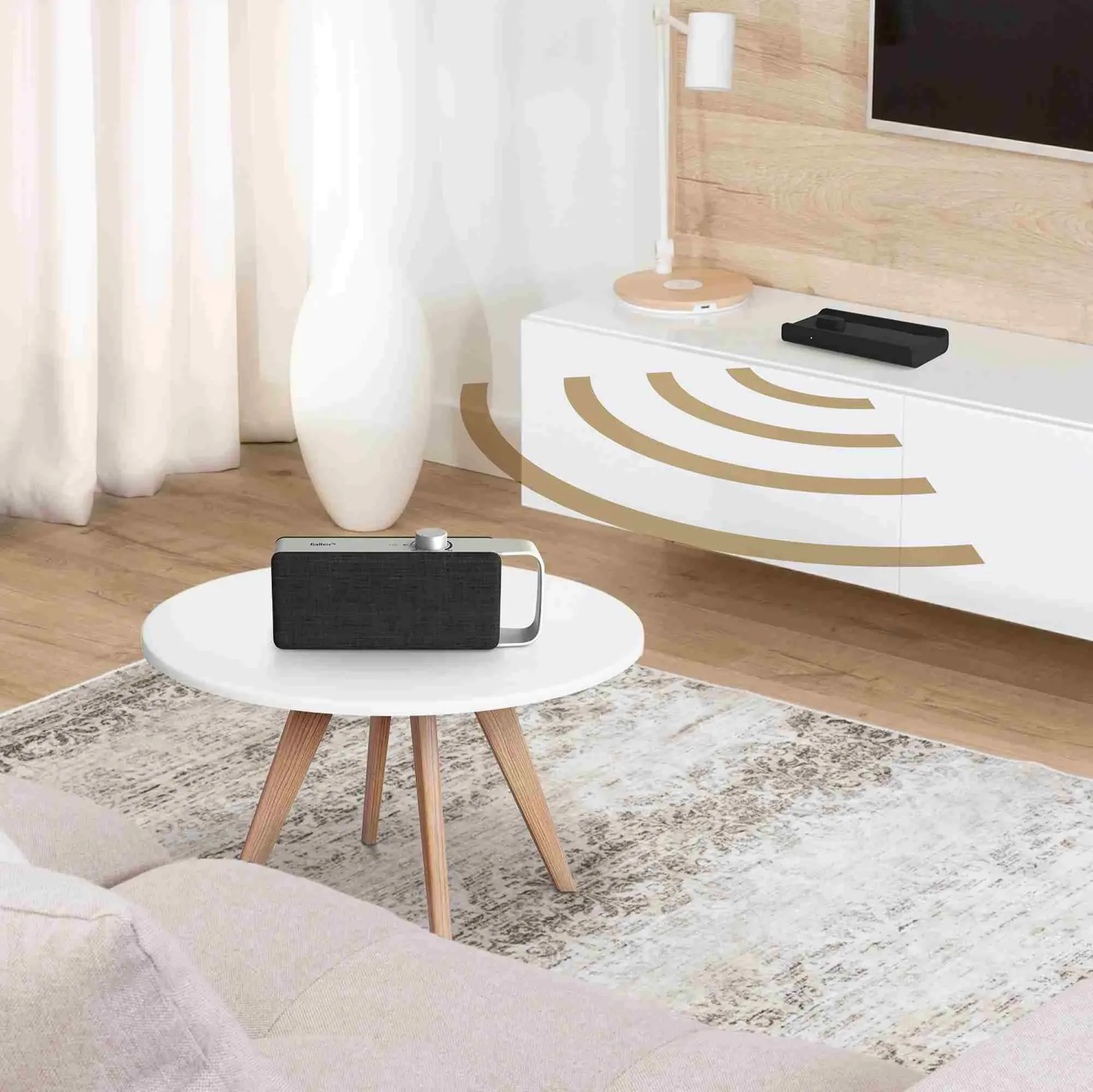
When setting up and installing TV speakers, it is not only the choice of the right speaker types that matters, but also their positioning and the selection of the best connection options. Careful planning can significantly enhance the sound experience and ensure that the speaker system performs to its full potential. It is important to choose both the location of the speakers and the connections to the TV correctly. In addition, a few tips and tricks can help to further optimise the audio experience, whether through the correct use of connection types or by adjusting settings for a clearer and more precise sound. Further detailed information can be found in the individual sections, each of which provides more comprehensive and in-depth explanations where required.
Key Takeaways
- Room acoustics significantly affect sound quality - hard surfaces create echoes, whilst soft materials such as carpets absorb unwanted reflections
- Correct speaker placement is crucial: at ear level, minimum distance from walls, position soundbars centrally below or above the TV
- Various connection options available: HDMI ARC/eARC for best quality, TOSLINK for interference-free transmission, Bluetooth for wireless flexibility
- Subwoofer crawling helps with optimal bass positioning; the equaliser allows for individual sound adjustment to suit the room and your preferences
- Plan power supply and cable routing - wireless solutions reduce installation work but require a stable wireless connection
- Regular firmware updates improve stability and sound quality, and resolve synchronisation issues between picture and sound
Location and planning
Room acoustics have a significant influence on the sound of a TV speaker. Hard surfaces such as concrete, glass or bare walls reflect sound and can lead to unpleasant echoes and distortion. Soft materials such as carpets, curtains or acoustic panels absorb sound and reduce reflections, making the sound clearer and more precise. The size and shape of the room also play an important role. In large rooms, sound spreads differently than in smaller ones, which can make the sound seem less intense. Standing waves often occur, particularly in rectangular rooms, where certain frequencies are amplified or attenuated, leading to an unbalanced sound. A simple way to test the acoustics is the clap test. If echoes are clearly audible, the room should be acoustically optimised. Adding sound-absorbing materials such as carpets, curtains or acoustic panels can significantly improve sound quality.
Another important consideration when planning a speaker system is access to power sources and correct cable routing. Particularly with external speakers and subwoofers, it is important to have a power source nearby to avoid the need for extension cables. Such cables can not only look unsightly but also lead to voltage drops, which impair performance. Loose cables can also be dangerous and make the surroundings look untidy. One solution is to use cable ducts or skirting boards, which route the cable out of sight and securely. Those who opt for wireless speakers have the advantage of not having to lay any cables. However, a stable wireless connection is still required here to ensure consistent sound transmission. Care should be taken to ensure that Wi-Fi or Bluetooth is strong enough to deliver the desired sound without interruptions.
The correct speaker placement is also crucial for sound quality. Soundbars should ideally be positioned directly below or above the TV so that the sound is directed straight towards the listening position. Tilting the soundbar slightly towards the seating position can make the sound even more precise. Compact speakers should be placed near the TV, but not too close to walls or in corners, to avoid sound distortion caused by reflections. Standard speakers work particularly well when arranged in an equilateral triangle relative to the listening position. The subwoofer, which handles the low frequencies, should not be placed directly against a wall or in a corner to avoid rumbling. With Bluetooth speakers, it is important to position them near the TV to ensure a stable connection.
Walls, ceilings and floors also affect the acoustics. Walls reflect sound and can amplify the bass, which distorts the sound. Leaving a gap between the speakers and the walls can help balance the sound. The ceiling also has an impact: in high-ceilinged rooms, sound can be reflected unevenly, whilst in low-ceilinged rooms, sound is reflected more quickly, which can distort the sound. Soft ceiling materials such as acoustic ceilings dampen reflections and improve the sound. The floor also influences sound waves. A hard floor amplifies the sound, which can lead to distortion. Carpets or mats can help to make the sound clearer and more balanced.
The receiver plays a central role in controlling the speaker system. It distributes the audio signal to the speakers and ensures optimal sound quality. Many receivers offer automatic calibration functions that analyse the room acoustics and optimally adjust the speakers. With wireless Bluetooth speakers, a receiver is not necessary as they connect directly to the TV. These speakers still offer good sound quality and a simple, flexible solution for enhancing the TV viewing experience. They are ideal for users who value straightforward installation and flexible placement.
Connection options
Modern TV speakers and televisions offer a wide range of connection options to ensure optimal sound reproduction. Choosing the right connection depends heavily on individual needs and the desired sound quality. HDMI (ARC/eARC) is an excellent choice when it comes to digital audio transmission. With HDMI ARC (Audio Return Channel), the TV’s audio is output via speakers, requiring just a single cable for both audio and video. For more demanding audio formats such as Dolby Atmos, eARC supports a higher bandwidth, enabling even better sound quality. TOSLINK (optical) is another widely used digital connection, which is particularly useful when HDMI is not available. The optical connection transmits audio signals via light pulses and is less susceptible to interference, but does not support multi-channel audio formats as HDMI does. AUX and 3.5 mm jack connections are simple, analogue connections, but are only suitable for stereo sound and are primarily used with portable speakers and older devices. The RCA socket is mainly found on older hi-fi systems, but is increasingly being replaced by digital solutions in modern setups. Bluetooth, on the other hand, offers the freedom of a wireless connection and allows for easy integration of speakers without cables, but has the disadvantage of potential latency and fluctuating sound quality.
An HDMI connection is ideal for those who want high sound quality, particularly when used with modern home cinema systems. HDMI ARC offers the advantage of bidirectional audio transmission, connecting the TV and speakers via a single cable. HDMI eARC goes one step further and supports high-resolution audio signals such as Dolby Atmos. Whilst HDMI delivers excellent sound quality and is easy to use, it is less flexible than wireless solutions, as speakers must be placed near the TV.
TOSLINK and coaxial connections are digital alternatives that offer reliable and precise audio transmission. They are ideal for applications where HDMI is not available, or for older devices that do not support HDMI connections. A disadvantage is that they do not support high-resolution multi-channel audio formats such as Dolby Atmos, making them less suitable for more sophisticated home cinema systems.
Bluetooth is a wireless connection that is particularly popular in modern soundbars and portable speakers. It enables a quick and straightforward connection without cables and offers great flexibility in speaker placement. However, the sound quality of Bluetooth speakers can depend on the version used and the supported codec, meaning that sound quality may be slightly compromised with older Bluetooth versions or lower-quality codecs. For everyday use and smaller rooms, however, Bluetooth is a very practical solution.
Overall, modern TV speakers offer numerous connection types that allow you to optimise sound quality to suit your needs. Choosing the right connection depends on specific requirements and the devices available. Wireless solutions such as Bluetooth offer flexibility, whilst wired connections such as HDMI and TOSLINK ensure reliable, high-quality audio transmission. Those with particularly high standards for sound quality should opt for HDMI or TOSLINK, whilst Bluetooth primarily provides a quick and straightforward solution.
Connecting to the TV
Modern televisions and TV speakers offer a variety of pairing and connection options, each with different advantages and limitations depending on the device and application. Choosing the right connection often depends on the desired sound quality and the specific requirements of the system. HDMI has established itself as the standard connection for modern devices, as it transmits both video and audio signals in the highest quality via a single cable. HDMI ARC (Audio Return Channel) and eARC (Enhanced Audio Return Channel) allow TV audio to be transmitted to external speakers, with eARC additionally offering higher bandwidth and supporting high-resolution audio formats such as Dolby Atmos. This makes HDMI a preferred choice for home cinema systems, as it allows for easy integration and reduces cable clutter. However, one disadvantage of HDMI is that it requires a wired connection, which can limit flexibility when positioning the speakers in the room.
Another common digital connection is TOSLINK, also known as an optical connection. TOSLINK transmits audio signals as light pulses, which prevents interference from electromagnetic fields and ensures stable transmission. This connection is particularly advantageous in environments with many electronic devices, as it is less susceptible to interference. TOSLINK also offers good sound quality for home cinema systems with multi-channel audio. However, one drawback of TOSLINK is that this connection does not support high-resolution audio formats such as Dolby Atmos, making it less suitable for users seeking a particularly immersive sound experience.
For older devices or simple setups, analogue connections such as AUX and RCA are still widely used. The AUX connection, often in the form of a 3.5 mm jack plug, is handy for connecting portable speakers or headphones. This connection transmits the audio signal in stereo and offers a simple way to connect devices. A major advantage of the AUX connection is its widespread use and universal compatibility, particularly with portable devices such as smartphones and laptops. The disadvantage, however, lies in the limited sound quality, as analogue signals are susceptible to interference and cannot transmit multi-channel audio formats.
RCA sockets, also known as cinch sockets, consist of two cables that transmit the audio signal for the left and right channels. These analogue connections are simple, but offer lower sound quality compared to digital connections, as they are more susceptible to interference and signal loss, particularly over long cable runs or with poor-quality cables. However, RCA connectors remain useful when integrating older devices that do not offer digital connection options.
As a wireless technology, Bluetooth offers a particularly flexible solution for connecting speakers to a TV. Bluetooth is particularly advantageous for portable speakers or in minimalist setups, as no cables are required. The connection is easy to establish, and the speakers can be switched between different devices without any hassle. A major advantage of Bluetooth is the high flexibility in speaker placement, as no cables need to be laid, and its ease of use. However, Bluetooth can suffer from latency issues, where the sound is played back with a delay relative to the picture. Newer Bluetooth versions such as 5.0 and supported codecs such as aptX Low Latency can largely minimise these issues, but do not offer the same sound quality and stability as wired connections. Sound quality in Bluetooth connections can be affected by the codecs used and the range, which is particularly significant with complex audio formats or high-end home cinema systems.
Overall, the various connection types offer different advantages and disadvantages, depending on the user’s requirements and the devices used. HDMI and TOSLINK are digital connections that ensure high-quality, lossless audio transmission, whilst analogue connections such as AUX and RCA have their place in simpler systems. Bluetooth offers flexibility and convenience, but may require compromises in sound quality or synchronisation. The choice of the right connection should therefore be tailored to individual needs and the desired sound experience.
Tips and tricks
The perfect positioning of TV speakers has a decisive influence on sound quality and the overall viewing experience. Several factors play a role here, such as speaker height, distance from walls and the symmetry of speaker placement. It is important to position the speakers at ear level to direct the sound clearly and directly towards the listening position. Placing them too high or too low can lead to uneven sound perception. A minimum distance from walls is also important, as this helps to avoid reflections and distortion. Subwoofers in particular should not be positioned too close to walls or in corners, as this can distort the bass and lead to unpleasant ‘booming’.
Maintaining the correct spacing between the speakers ensures a balanced and harmonious sound image. Correct positioning is crucial for the surround sound experience, particularly with surround systems and rear speakers. These speakers must be positioned so that the sound is evenly distributed and creates the impression that the sound is coming from all directions. Soundbars should be positioned centrally beneath or in front of the television to avoid distortion and uneven sound.
In addition to speaker placement, the room’s acoustics play a major role in sound optimisation. Even high-quality speakers require fine-tuning to perfectly adapt the sound to the room’s acoustics and personal preferences. Dolby Atmos and surround sound systems offer three-dimensional spatial sound thanks to their specific speaker placements. To achieve the best results, the speakers must be optimally positioned in various locations within the room. A subwoofer, for example, must be positioned so that it perfectly complements the low frequencies without disrupting the rest of the sound quality. Fine-tuning the subwoofer - such as adjusting the volume, phase and crossover frequency - ensures that the bass is reproduced clearly and precisely.
The equaliser is also a useful tool for sound optimisation. The equaliser allows the treble, midrange and bass to be adjusted individually to adapt the sound to the room’s acoustics and personal preferences. This is particularly important in rooms with challenging acoustics to reduce unpleasant echoes or reverberation and create a balanced sound.
For users looking for a simple and compact solution, soundbars are a good choice. They combine multiple speakers into a single device and offer an enhanced audio experience without the need to install a full speaker system. Models with an integrated or wireless subwoofer, in particular, deliver powerful bass and an all-round improved sound experience. The OSKAR TV speaker also functions similarly to a soundbar, offering excellent sound quality and clear dialogue in a compact form.
To ensure a soundbar can reach its full potential, it is important to connect it correctly. HDMI ARC or optical connections ensure lossless audio transmission and provide a stable, high-quality link between the TV and the speaker. HDMI ARC, in particular, offers the advantage of being able to control both the TV’s volume and that of the soundbar using a single remote control.
Subwoofers are another key component for a powerful and rich sound experience. Their placement is crucial for achieving precise bass reproduction. One method for finding the best spot for the subwoofer is known as ‘subwoofer crawling’, where the subwoofer is placed at the listening position and then tested at various points around the room. Important settings such as volume, phase and crossover frequency should be adjusted to integrate the bass harmoniously into the overall speaker system and avoid distortion.
Surround sound is essential for the perfect home cinema experience. To make the best possible use of the surround sound, the speakers must be positioned correctly. Front speakers should be placed to the left and right of the television, whilst the centre speaker should be positioned in the middle. The rear speakers should be placed behind the seating area to enhance the surround sound. With the integration of Dolby Atmos, the sound is further extended into the vertical plane, resulting in an even more immersive experience, particularly with action films.
Sound quality can be further optimised through various technical settings. Equaliser settings and sound modes allow the TV and speakers to be tailored to the room acoustics and the content. A calibration microphone helps to adjust the speakers so that the sound is distributed evenly throughout the room, regardless of the room size or the placement of the speakers.
Finally, you should regularly check for firmware updates to ensure that all devices are up to date and delivering the best possible performance. Updates not only improve connection stability but also optimise sound quality and fix any bugs, such as issues with picture and sound synchronisation.
You can find more tips and tricks for the best TV viewing experience here.