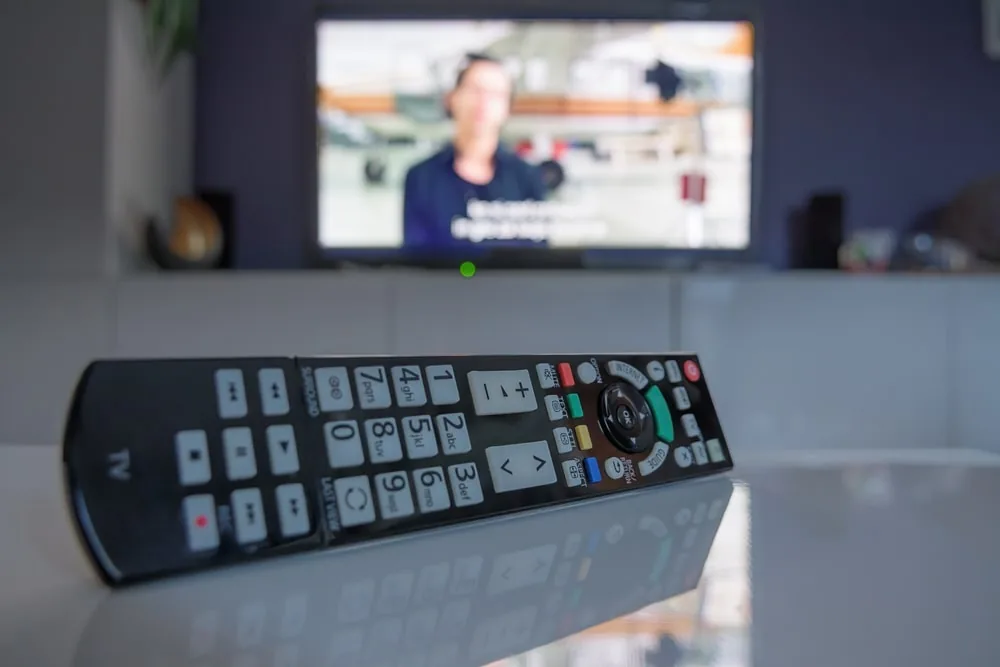
Modern smart TVs impress with breathtaking picture quality and a wealth of smart features, yet the sound often fails to match the visual experience. Due to the slim design of these devices, the built-in speakers are usually too small to deliver a truly dynamic, room-filling sound experience. A soundbar for your smart TV is the ideal solution to bridge this audio gap and significantly enhance your viewing and listening experience. Not only does it deliver powerful, clear sound for films, series and music, but it also integrates seamlessly into your connected home. Find out more here about why a soundbar is an essential investment for smart TV owners, which models are suitable for different needs, and how to set it up for an optimal sound experience. In short: a soundbar transforms your visual experience into a complete, immersive spectacle that fully meets modern home entertainment requirements and significantly enhances the value of your smart TV.
Key Takeaways
- Soundbars compensate for the acoustic shortcomings of flat-screen smart TVs and deliver dynamic sound
- HDMI ARC/eARC enables the best transmission quality and convenient control via the TV remote
- Models with a subwoofer or Dolby Atmos deliver powerful bass and three-dimensional surround sound
- Placing the soundbar centrally beneath the TV and adjusting it to the room’s acoustics optimises the listening experience
- Smart features such as voice control and multi-room audio integrate the soundbar into the smart home
- A soundbar also offers a significant improvement in quality for music streaming and gaming
Why a soundbar is essential for your smart TV
Advances in flat-screen TVs have raised picture quality to breathtaking levels. However, the slim design of these devices comes with a systemic limitation: there is simply not enough space for truly impressive speakers. The TV’s built-in speakers are often too small to produce a balanced sound with deep bass and clear treble. Dialogue can be difficult to understand, and film effects lack immersion. This is where the soundbar comes in. It is specifically designed to compensate for the TV’s acoustic shortcomings and deliver a rich, dynamic sound experience. A soundbar not only improves the sound of films and TV series, but also makes listening to music via your smart TV a real pleasure. Integration with the smart TV’s functions also allows for convenient control, often even via the TV remote or voice commands, which significantly simplifies the daily user experience.
Overcoming the limitations of the TV’s built-in sound
The design constraints of modern flat-screen TVs limit the size and arrangement of the speakers. This often results in a flat, undifferentiated sound. Bass is barely perceptible, and speech reproduction can be unclear, which is particularly frustrating with dialogue-heavy content. A soundbar offers significantly more volume and features specially arranged drivers that cover a wider frequency range, thereby enabling a fuller and clearer sound experience.
Enhanced sound experience for films, series and music
With a soundbar, you can immerse yourself more deeply in the world of films and TV series. Explosions sound more powerful, music is reproduced with greater detail and dialogue is crystal clear. Many soundbars also support advanced audio formats such as Dolby Atmos or DTS:X, which create three-dimensional surround sound and give the impression that the sound is coming from all directions. Even when streaming music via services such as Spotify or Tidal directly through your smart TV, a soundbar offers significantly improved audio quality compared to the built-in speakers.
Benefits of integration with smart TV functions
The combination of a soundbar and a smart TV goes beyond mere sound enhancement. Modern soundbars are often designed to communicate seamlessly with the television. Thanks to HDMI ARC or eARC, most of the soundbar’s functions, such as volume and power on/off, can be controlled via the TV’s remote control. Many smart TVs feature voice assistants that can also interact with compatible soundbars, making operation even more intuitive.
Finding the right soundbar for your smart TV
The range of soundbars is vast, and the search for the right model can seem overwhelming. There are various factors to consider in order to find the ideal soundbar for your individual needs and your living room.
What to look for when buying
Connectivity options are a key factor. HDMI ARC (Audio Return Channel) or the even more powerful HDMI eARC (enhanced Audio Return Channel) are the preferred options, as they not only transmit audio signals but also allow you to control the soundbar using the TV remote. An optical connection is a good alternative if the TV does not have an HDMI ARC port. Bluetooth is handy for wireless music playback from a smartphone or tablet. Support for audio formats such as Dolby Atmos and DTS:X is important for an immersive sound experience, particularly if you frequently watch modern films with these audio tracks. The size and design of the soundbar should complement the TV and the living room. A soundbar that is too large can obscure the picture, whilst one that is too small looks lost beneath a large TV. Additional features such as Wi-Fi for streaming services or multi-room capability for a networked sound system throughout the house can also influence your purchase.
An overview of soundbar types
There are various types of soundbars, each offering different advantages. Classic soundbars are compact all-in-one solutions that significantly enhance the TV’s sound and are easy to install. Soundbars with an external subwoofer expand the sound spectrum with powerful bass, adding an extra dimension to action films and music. The subwoofer can be connected wirelessly to the soundbar and positioned flexibly within the room. For a true surround sound experience, there are soundbars with rear speakers that deliver sound from behind the listener, creating an even more immersive feeling. These rear speakers can also be connected wirelessly. Sometimes, integrated TV audio systems are also available, which serve as a stand for the television and follow a similar concept to a soundbar.
What to look out for when buying
The connection options are a key factor.
An overview of soundbar types
There are various types of soundbars, each offering different advantages.
Connecting and setting up your soundbar and smart TV correctly
Connecting and setting up a soundbar with a smart TV is usually straightforward, but requires a few steps to unlock the system’s full potential.
Step-by-step guide to connecting
The HDMI ARC or eARC connection is the recommended method. To do this, connect an HDMI cable from the TV’s HDMI ARC/eARC port to the corresponding input on the soundbar. The advantage is that audio signals are sent from the TV to the soundbar, whilst commands from the TV remote control can be transmitted to the soundbar at the same time. If the TV does not have an HDMI ARC port, the optical connection is a good alternative. An optical cable (Toslink) transmits digital audio signals to the soundbar without any loss of quality. Bluetooth is usually used for wireless music playback from mobile devices. To do this, put the soundbar into pairing mode and then connect it via the Bluetooth settings on your smartphone or tablet.
Optimising settings on the smart TV
Once the physical connection is established, it is important to adjust the audio settings on the Smart TV. In the TV’s settings menu, audio output must be switched to external speakers. There is often also an option to enable HDMI-CEC (Consumer Electronics Control) or a similar function, which allows the soundbar to be controlled via the TV remote control. To play advanced audio formats such as Dolby Atmos, you should ensure that the so-called pass-through mode for audio signals is enabled, so that the smart TV forwards the uncompressed signals directly to the soundbar.
Making initial sound settings
Once the basic setup is complete, you can make fine-tuning adjustments to the sound. Most soundbars allow you to adjust the bass and treble. A slight boost to the treble can improve speech clarity. Many high-quality soundbars feature calibration systems that analyse the room and automatically optimise the sound. It’s worth using this feature to achieve the best possible sound experience.
Optimising the sound experience in the room
Even the best soundbar can only reach its full potential if room acoustics are taken into account and the soundbar is positioned optimally.
The importance of room acoustics
The room in which the TV and soundbar are located plays a crucial role in the sound quality. Hard surfaces such as glass, tiles or bare walls can cause unwanted reflections that distort the sound. Soft materials such as carpets, curtains or upholstered furniture can absorb sound and improve the acoustics. Even small changes to the room’s layout can make a big difference.
Positioning the soundbar for optimal sound
Ideally, the soundbar should be placed centrally beneath the TV, either on a piece of furniture or mounted on the wall. It is important that the soundbar has a clear line of sight to the listeners and is not obstructed by objects. This ensures that the sound reaches the listening area unimpeded. For soundbars with up-firing speakers for Dolby Atmos, it is particularly important that there are no obstacles directly above the soundbar, as the sound is directed upwards towards the ceiling and is intended to be reflected from there to the listener.
Making the most of surround sound and Dolby Atmos
If the soundbar supports surround sound or Dolby Atmos, it is important to make full use of these capabilities. Up-firing speakers in the soundbar project sound upwards, which is reflected off the ceiling, creating the impression of 3D audio. In virtual surround sound systems, special algorithms simulate spatial sound, even if there are no physical rear speakers. Whilst the result is not identical to a real surround system, it can still convey a significantly more immersive experience than stereo sound.
Smart home integration and advanced usage
A modern soundbar is often more than just a speaker. It can be a central component of a smart home and offers a wide range of advanced features.
Voice control with Alexa, Google Assistant and others
Many soundbars feature built-in voice assistants such as Amazon Alexa or Google Assistant. This allows you to conveniently control the soundbar and your smart TV via voice commands. You can play music, adjust the volume, switch the TV on or off, and even operate other smart home devices connected to the system. The soundbar thus becomes an intelligent hub for audio playback and smart home control.
Multi-room audio with the soundbar
Some soundbars are multi-room capable. This means they can be integrated into an existing multi-room system and play music synchronously in multiple rooms. So you can listen to your favourite playlist in the living room via the soundbar and simultaneously in the kitchen via another compatible speaker. Compatibility with other devices is crucial for creating a seamless audio experience throughout the house.
Updates and future developments
Manufacturers regularly release firmware updates for their soundbars. These updates can add new features, improve sound quality or fix bugs. It is advisable to check your soundbar regularly for updates to ensure you always enjoy the best possible performance and the latest features. The TV audio sector is constantly evolving, with innovations in sound formats and smart connectivity.
Frequently asked questions about soundbars and smart TVs
Here we aim to answer some of the most common questions that arise in connection with soundbars and smart TVs.
Can I connect any soundbar to my smart TV?
Most modern soundbars are compatible with standard smart TVs, particularly via HDMI ARC/eARC or the optical connection. Older soundbars or televisions may have limitations regarding connection options. Checking the user manuals for both devices will provide clarification.
Do I need an AV receiver with a soundbar?
In most cases, a separate AV receiver is not necessary with a soundbar. Soundbars are all-in-one solutions that feature a built-in amplifier and often also decoders for surround sound formats. An AV receiver is more commonly required for traditional home cinema systems with many individual components.
How do I optimise the bass on my soundbar
Bass reproduction can be influenced by the placement of the subwoofer (if included) in the room. It often helps to position the subwoofer closer to a wall or in a corner to boost the bass. Many soundbars also offer bass adjustment settings in their menus or via an app.
What is the difference between Dolby Atmos and DTS X
Dolby Atmos and DTS:X are both object-based audio formats that create three-dimensional surround sound. The main difference lies in the way sound objects are placed and rendered within the room. Both formats offer an impressive sound experience, but require compatible content and playback devices.
Is a soundbar worth it even for smaller rooms?
Yes, a soundbar is also worth it for smaller rooms. Even in limited spaces, soundbars can significantly enhance the sound experience of a smart TV. There are also compact soundbar models designed specifically for smaller rooms that still deliver impressive sound.